
01
Keep the queue moving
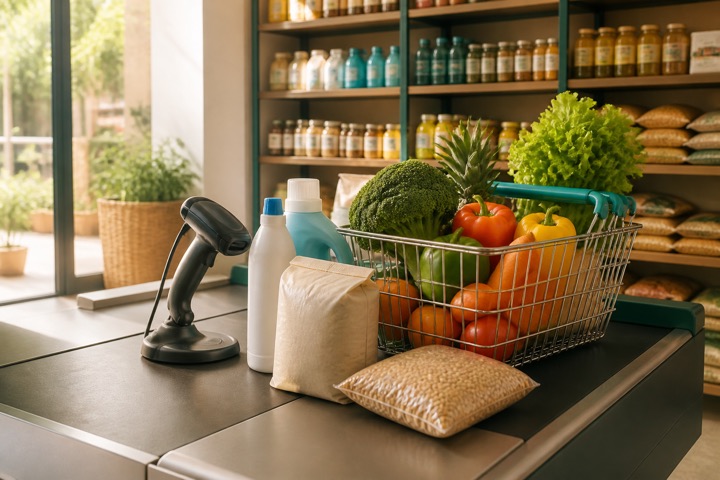
Scan items, adjust quantities, hold a basket, serve the next customer, and resume without rebuilding the sale.
- Exact barcode matches
- Keyboard-first POS
- Held carts
- Duplicate-checkout protection
Supermarket billing software
Use barcode-first POS, held carts, shared cash-register sessions, split tender, stock movements, supplier purchases, and reports for a busier retail floor.
Freshway Supermarket
POS bill · Split payment

A DAY IN THE STORE
Scan items, adjust quantities, hold a basket, serve the next customer, and resume without rebuilding the sale.
Collect cash, UPI, card, bank, or split tender and keep physical cash distinct from digital collection.
Review item sales, stock movements, returns, collections, and purchase records after the rush.
BUILT FOR REAL COUNTERS
The invoice, payment, stock movement, cash movement, and accounting entry remain connected without asking the person at the counter to become an accountant.
FROM SUPERMARKET OWNERS
We use Dukanam for billing at Provision in Nellore. Our experience has been a positive one, and we’re happy to share our feedback with other supermarket owners.
MukeshProvision
Nellore, Andhra Pradesh
Before you switch
A useful supermarket trial includes several product types, a held basket and more than one payment method. Check the records after checkout as well as the speed of entry.
Create separately identifiable items for different pack sizes. Scan packaged goods and enter measured quantities for loose items using the configured selling unit.
Hold a cart, process another sale and return to the first basket. Check item quantities and prices before accepting payment; test your receipt printer with the actual browser and counter hardware.
Try a split payment and a return, then review collections, stock movements and cash-register closing on a plan that includes these workflows.
These are the current plan names, monthly prices and feature limits. Owner POS supports barcode lookup with a compatible USB scanner. Item scanning and shelf-label tools follow the plan gates below. Extra staff POS logins have separate allowances; check those and annual prices on the pricing page.
| Capability | Free Essentials Free | Growth Plan ₹99.00/month | Advanced Plan ₹299.00/month |
|---|---|---|---|
| Inventory and stock movements | Up to 5 items | Up to 100 items | Unlimited items |
| Item scanning and shelf labels | Not included | Included | Included |
| Sales and purchase returns | Not included | Not included | Included |
| GST preparation | Not included | Not included | Included |
| Warehouse stock and transfers | Not included | Included | Included |
| Batch lots and expiry controls | Not included | Not included | Included |
No. Enter the measured quantity using the item unit and test any required hardware independently. An automatic weighing-scale integration is not promised.
Check the current plan limits and staff permissions, then test your actual counter setup. Confirm simultaneous use and network reliability before a busy trading day.
A look inside Dukanam
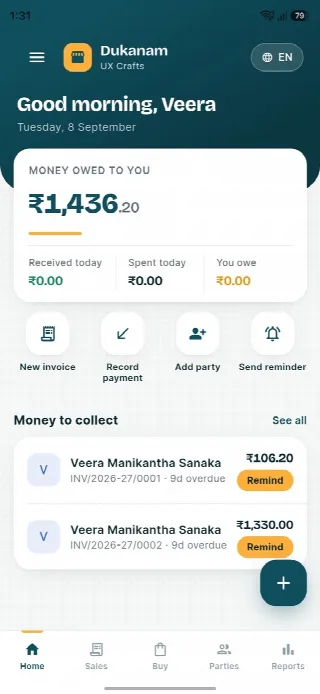
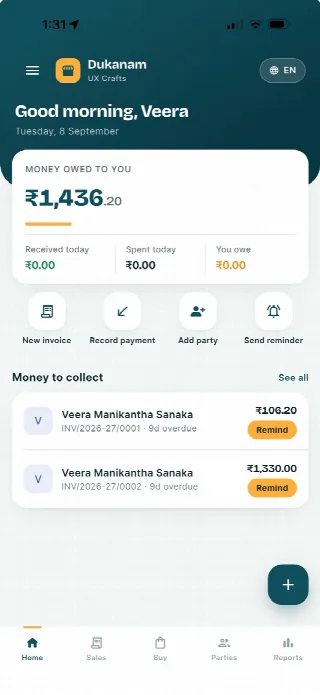
Step away from the counter without losing track of the day. Your collections, customer balances and next bill stay close at hand.
Money owed to you and recent customer balances, in one view.
Keep collections connected to the customer’s balance.
Go from the day’s summary to the invoice details.
Features follow your plan. Test your desktop scanner and receipt printer separately before switching a busy counter.
Android
iOS
Supermarket billing questions
Authorized staff can work within the same business and use shared cash-register sessions according to their roles.
Yes. A cashier can hold a cart, serve another customer, and resume the original sale.
Yes. A sale can be collected across supported payment modes while preserving the payment record.
No. Dukanam prepares GST-aware invoices and reports. It does not claim direct GST portal or IRP submission.
Explore another retail workflow
Add a few products, complete a sale, record the payment, and check the resulting stock movement yourself.