
01
Prepare the invoice
Add products, capture the customer or business buyer, apply configured taxes, and print a clear document.
- Product search
- Customer record
- GST fields
- A4 invoice
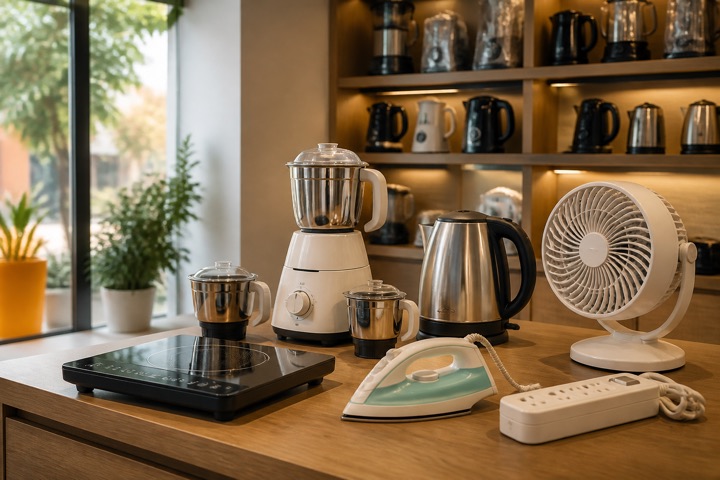
Home appliance store billing software
Keep product invoices, GST details, collections, stock movement, supplier purchases, customer balances, returns, and profitability reports together.
Comfort Home Appliances
GST invoice · Split payment

A DAY IN THE STORE
Add products, capture the customer or business buyer, apply configured taxes, and print a clear document.
Record cash, card, bank, UPI, or a supported split payment and keep any remaining balance visible.
Connect supplier purchase cost to item stock and use sales and profit reports to review the result.
BUILT FOR REAL COUNTERS
The invoice, payment, stock movement, cash movement, and accounting entry remain connected without asking the person at the counter to become an accountant.
Before you switch
Model identification, partial collections and supplier payments matter on higher-value sales. Start with those records, then verify delivery and service requirements separately.
Create clear item names for model, capacity and colour. Keep separately sold accessories as their own items so quantities and prices are visible on the bill.
Test an invoice with an initial payment and a later collection. Review the remaining customer balance after each payment rather than treating the invoice total as money received.
On a plan with serial tracking, enable it for the item and record each unit’s serial or IMEI when adding stock. Select the actual unit on the sale, save its warranty end date when known, and trace its purchase, sale and authorised return history. Serial-tracked items use whole units and cannot also use batch tracking. Installation scheduling and delivery-slot management need a separate process.
These are the current plan names, monthly prices and feature limits. Owner POS supports barcode lookup with a compatible USB scanner. Item scanning and shelf-label tools follow the plan gates below. Extra staff POS logins have separate allowances; check those and annual prices on the pricing page.
| Capability | Free Essentials Free | Growth Plan ₹99.00/month | Advanced Plan ₹299.00/month |
|---|---|---|---|
| Inventory and stock movements | Up to 5 items | Up to 100 items | Unlimited items |
| Item scanning and shelf labels | Not included | Included | Included |
| Sales and purchase returns | Not included | Not included | Included |
| GST preparation | Not included | Not included | Included |
| Warehouse stock and transfers | Not included | Included | Included |
| Serial / IMEI and warranty records | Not included | Not included | Included |
No scheduling integration is promised here. Keep installation and delivery commitments in a suitable process and verify any required integration separately.
Do not infer serial-level warranty management from general item billing. Confirm the records and service workflow you need before switching.
A look inside Dukanam
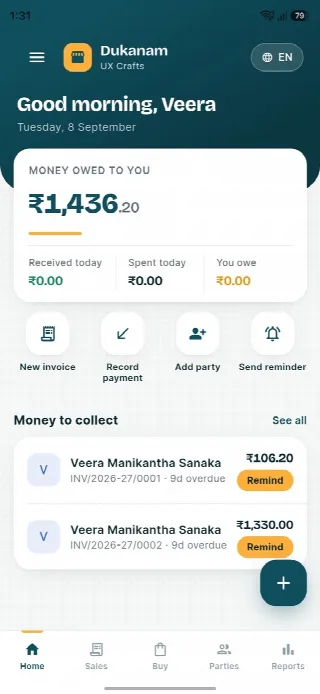
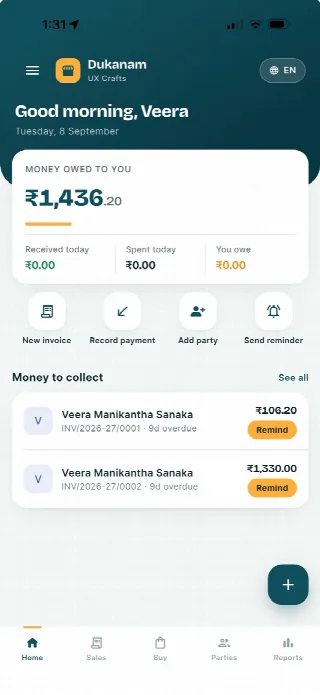
Step away from the counter without losing track of the day. Your collections, customer balances and next bill stay close at hand.
Money owed to you and recent customer balances, in one view.
Keep collections connected to the customer’s balance.
Go from the day’s summary to the invoice details.
Features follow your plan. Test your desktop scanner and receipt printer separately before switching a busy counter.
Android
iOS
Home appliance store billing questions
Yes. Supported split tender can divide collection across available payment modes.
Yes. Payments and outstanding receivables remain connected to the customer and invoice.
Yes. Sales returns preserve the related stock and accounting reversal.
No. Dukanam prepares GST-aware invoices and reports. It does not claim direct GST portal or IRP submission.
Explore another retail workflow
Add a few products, complete a sale, record the payment, and check the resulting stock movement yourself.