
01
Find the right item fast
Search a descriptive item name, SKU, or barcode and complete the bill without navigating a dense catalogue.
- SKU lookup
- Barcode scan
- Quantity changes
- Receipt printing
Clothing store billing software
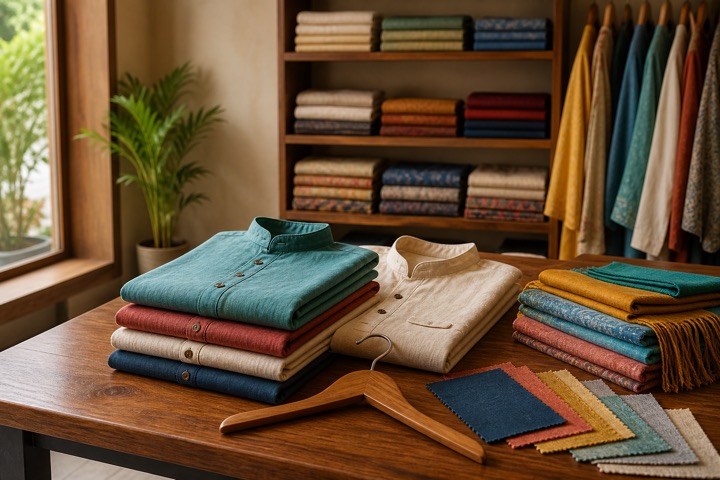
Give a clothing, apparel, or readymade garment shop one browser-based workspace for barcode and SKU billing, GST invoices, returns, supplier purchases, UPI payments, and stock movement.
Vastra Clothing Co.
Retail bill · Paid by UPI

A DAY IN THE STORE
Search a descriptive item name, SKU, or barcode and complete the bill without navigating a dense catalogue.
Record sales returns against the business history so stock and accounting effects remain visible.
Record supplier purchases and review what sold, what remains, and which balances are due.
BUILT FOR REAL COUNTERS
The invoice, payment, stock movement, cash movement, and accounting entry remain connected without asking the person at the counter to become an accountant.
FROM CLOTHING STORE OWNERS
We’ve been pleased with our experience using Dukanam for Avi Creations. Our clothing business in Delhi has had a good experience with the app.
Sanjeev KumarAvi Creations
Delhi, Delhi
Before you switch
A garment name alone is not enough when the same style has several sizes. Start with a small catalogue and test a sale, a return and a stock check.
For example, create “Cotton kurta · Blue · M” and “Cotton kurta · Blue · L” with different SKUs or barcodes and their own stock quantities. This uses the existing item catalogue; it does not promise a dedicated size-and-colour matrix.
Scan the label or search the item name or SKU. Confirm the size in the description, price and quantity before collecting cash, UPI or another supported payment. Test the printed receipt on your own hardware.
Use the sales-return workflow for a returned garment and verify the stock reversal. If the customer chooses a replacement, record that sale and its payment separately so both documents remain traceable. Feature access follows the selected plan.
Record purchases against the correct items. Compare quantities and stock valuation with sales and returns, and review supplier balances before reordering.
Illustrative example: Cotton kurta · Blue · M and Cotton kurta · Blue · L are two separate items. Start with three medium and two large kurtas, then check the quantity after each document.
| Step | Blue · M stock | Blue · L stock | Document to check |
|---|---|---|---|
| Starting stock | 3 | 2 | Opening stock or supplier purchase |
| Sell one medium kurta | 2 | 2 | Original sales invoice |
| Return the medium kurta | 3 | 2 | Sales return against the original sale |
| Sell one large as the replacement | 3 | 1 | Separate replacement sales invoice |
These are the current plan names, monthly prices and feature limits. Owner POS supports barcode lookup with a compatible USB scanner. Item scanning and shelf-label tools follow the plan gates below. Extra staff POS logins have separate allowances; check those and annual prices on the pricing page.
| Capability | Free Essentials Free | Growth Plan ₹99.00/month | Advanced Plan ₹299.00/month |
|---|---|---|---|
| Separate size-and-colour item stock | Up to 5 items | Up to 100 items | Unlimited items |
| Item scanning and shelf labels | Not included | Included | Included |
| Sales and purchase returns | Not included | Not included | Included |
| GST preparation | Not included | Not included | Included |
| Warehouse stock and transfers | Not included | Included | Included |
No. Check current free-plan availability and included basic workflows on the pricing page. Paid plans begin with purchase. Use the current pricing comparison to confirm POS, returns, team access and other features before upgrading.
Dukanam has Android and iOS apps for supported billing and business workflows. Review the app page and your plan. Test specialist hardware and counter requirements separately; mobile availability does not imply every desktop hardware integration.
A look inside Dukanam
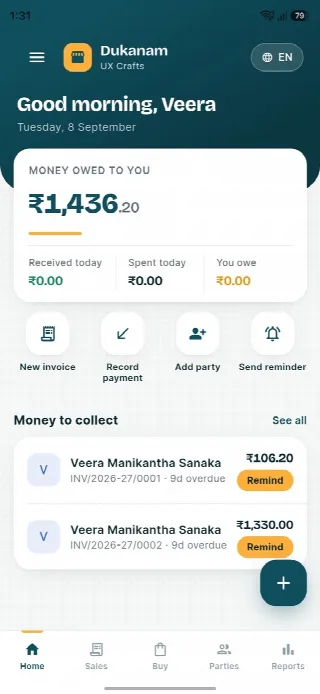
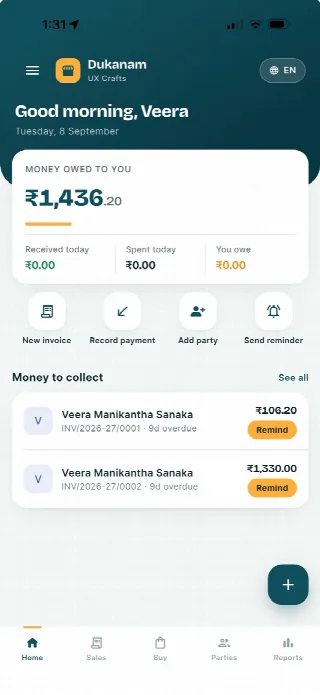
Step away from the counter without losing track of the day. Your collections, customer balances and next bill stay close at hand.
Money owed to you and recent customer balances, in one view.
Keep collections connected to the customer’s balance.
Go from the day’s summary to the invoice details.
Features follow your plan. Test your desktop scanner and receipt printer separately before switching a busy counter.
Android
iOS
Clothing store billing questions
Yes. The POS supports apparel lookup by item name, barcode, or SKU.
Yes. Sales-return workflows preserve the reversal in stock and accounting records.
Yes. Switch to the B2B billing flow to capture the buyer and tax details needed for the invoice.
No. Dukanam prepares GST-aware invoices and reports. It does not claim direct GST portal or IRP submission.
Explore another retail workflow
Add a few products, complete a sale, record the payment, and check the resulting stock movement yourself.